AI Image prompt
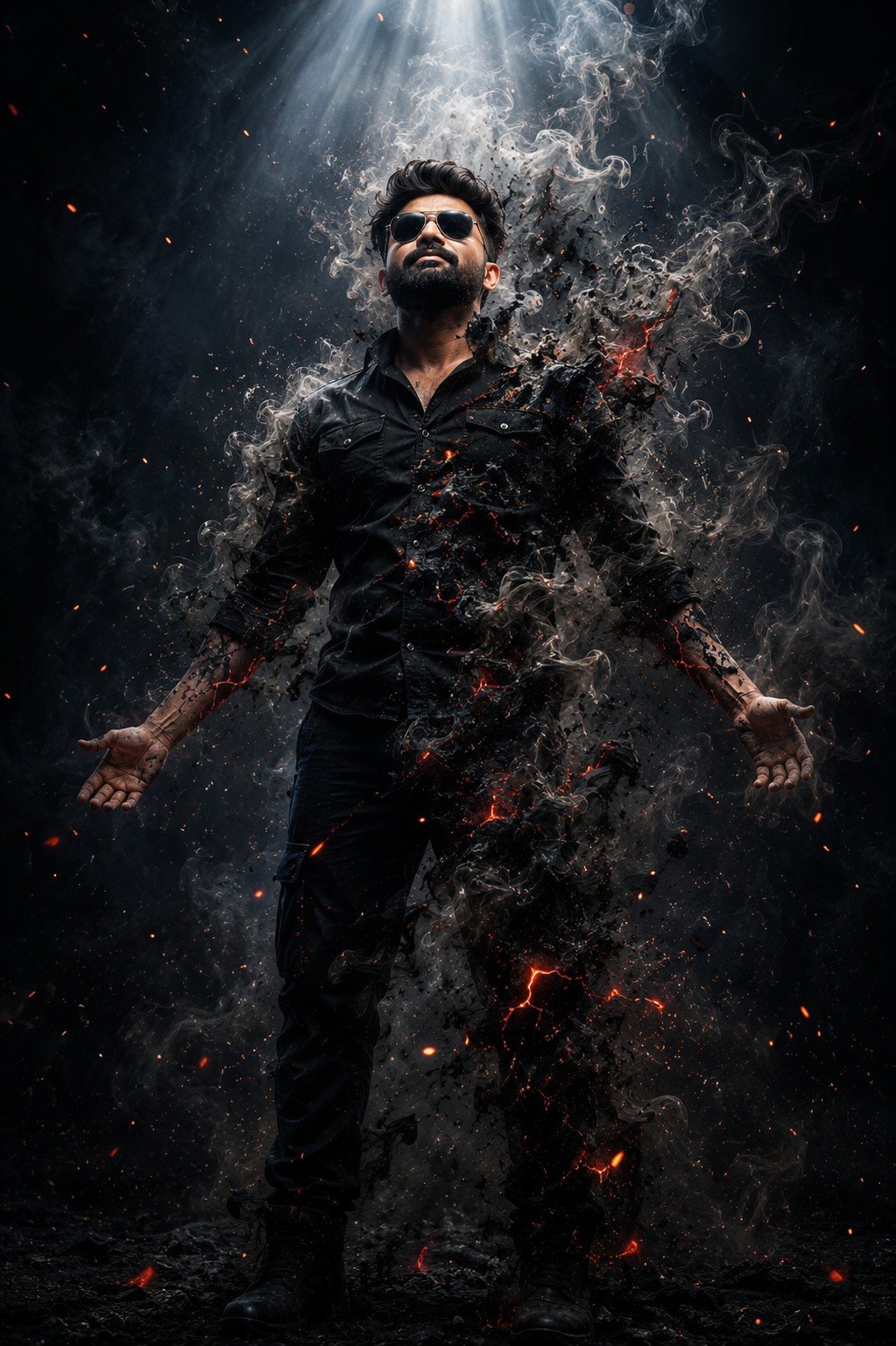
A mysterious figure stands beneath a divine beam of light as his body dissolves into smoke and fire, creating an epic dark fantasy transformation with breathtaking realism.
Turn your own photograph into a dark cinematic portrait with swirling smoke, ash and glowing embers. This ChatGPT photo-editing prompt is intended to apply the style shown in the sample image while keeping the person in your uploaded photograph recognisable.
Your photograph provides the reference for your appearance. The prompt describes the transformation: dramatic lighting, dark clothing, smoke around the body and subtle red highlights. The aim is a realistic-looking portrait within a fictional movie-poster scene.
The requested look places you at the centre of a dark composition, with your head tilted upward and your eyes closed. Light from above highlights the face and shoulders, while smoke wraps around the torso, arms and legs. Parts of the outer silhouette appear to dissolve into ash.
Dark blue and charcoal tones set the main atmosphere. Small glowing embers and faint lava-like cracks add warmth inside the smoke. The face should remain the visual focus, with the effects supporting the portrait rather than covering it.
You can use this concept for a personal poster, profile artwork or a dramatic social-media portrait. The intended result combines a photographic-looking person with an imaginary transformation effect.
Upload your photograph inside ChatGPT. The sample on this website shows the intended visual style; your uploaded photograph provides the personal reference for your version.
The website sample helps you understand the look you are choosing. You do not need to look like the person in that sample. The purpose is to apply a similar visual treatment to your own photograph.
The normal workflow uses the copied prompt and your own photo. You do not need to upload the website sample to complete those steps. If you later choose to attach both images for closer visual guidance, identify your photograph as the identity reference and the sample as the style reference.
Expect a personalised interpretation of the effect rather than an identical copy of the sample. Your original pose, framing, facial angle and lighting can influence the finished appearance.
Choose a clear photograph in which your face is easy to see. Avoid starting with a heavily filtered image if your goal is a natural likeness. For this portrait, visible facial details matter more than having a dramatic background in the original photograph.
Match the source photo to the framing you want. A photograph showing more of your body gives ChatGPT more visible information for a full-length composition. A close-up can guide your face, but the body and clothing outside that crop will need to be created.
If the result changes your appearance too much, use this follow-up instruction:
Preserve my facial features, skin tone, hairstyle and natural skin texture from the original uploaded photo. Keep me recognisable. Refine the lighting, smoke and background while retaining those features.
The goal is to keep a realistic-looking face while transforming the surrounding scene. A recognisable likeness is the aim, but an exact match cannot be guaranteed.
“Volumetric smoke” describes the intended appearance of smoke with depth that catches the light, rather than a flat overlay. These terms guide the visual direction; they are not exact controls for the result.
Start with the original prompt, then ask for a specific change in the same ChatGPT conversation. The following are suggested instructions you can try.
Change one main feature at a time so you can judge whether the adjustment improves your portrait.
Begin with your face. Check the eyes, nose, mouth, jawline and skin tone against your uploaded photograph. Then look at the hands, shoulders and body proportions. Strong lighting and smoke can draw attention away from details that need correction.
Next, check the balance of the effects. The smoke should add depth without hiding the person completely. The embers should support the mood without becoming the main subject.
For a focused revision, refer back to your original photograph and state both the change and what you want to retain. For example:
Reduce the smoke covering my face. Keep my likeness based on the original uploaded photo, and retain the dark blue background, current framing and subtle embers.
Use a follow-up message in the same conversation to request the adjustment. Review the revised image again before deciding which version to download.
These are troubleshooting suggestions, rather than guaranteed fixes.
The sample is a style preview. Different source photographs and individual generations can produce different faces, poses, smoke shapes and lighting. Use the sample as a guide to the effect rather than a promise of an identical result.
The head angle can affect likeness. This prompt asks for an upward-facing pose with closed eyes. If retaining your original appearance matters more than matching that pose, ask to keep the head angle from your photograph.
Check the downloaded image dimensions. The word “8k” in the prompt expresses a desired level of detail. It does not establish the actual resolution of the saved file.
Inspect the portrait at its intended display size. Check that the face stays readable when the image is used as a small profile picture or website thumbnail.
Leave room for a title if needed. Ask for clear space above or beside you when making a personal poster. You can add the lettering later in your preferred design editor.
Yes. This workflow is intended to transform your photograph. Upload it in ChatGPT together with the copied prompt so your appearance can guide the edit.
For this workflow, upload your photo in ChatGPT. Use this page to view the sample and copy the prompt, then open the ChatGPT link below it.
The aim is a similar cinematic smoke style applied to your own portrait. Your likeness, source-photo framing and the generated effects will make your version different, so an identical result is not guaranteed.
Yes, you can request that change. Ask ChatGPT to keep the facial expression and head angle from your uploaded photo while applying the dramatic lighting, smoke and embers.
Clarify the task with: “Please edit the photo I uploaded and generate the transformed image using the copied prompt.” Image generation and editing must be available in your ChatGPT account or workspace.